258 Free Tools — No Signup Required

FreeToolWise — Free Online Tools

258+ secure, browser-based productivity tools. No signup, no payment, no credit card. Compress images, extract PDF text and format data entirely in your browser — or let our AI tools translate text, summarise documents and draft cover letters on our server, without storing your input.

Popular Free Tools

Jump straight into our most-used tools — all free, no signup, most run in your browser.

Browse by Category

258+ free tools across 14 categories. Pick a category to jump straight in.

Why ToolWise?

100% Free

All tools are completely free with no hidden costs, no premium tiers, and no usage limits.

No Signup Needed

Start using any tool immediately. No accounts, no emails, no passwords. Just use it.

Works Everywhere

Fully responsive design works perfectly on phones, tablets, laptops, and desktops.

The Ultimate Suite of Free Online Tools

ToolWise is a comprehensive platform offering over 258 advanced web utilities. From artificial intelligence text generation to secure local file processing, we provide enterprise-grade tools completely free of charge.

Why Choose ToolWise?

The internet is filled with utility websites, but most of them suffer from the same fundamental flaws: they require you to create an account, they bombard you with intrusive popup advertisements, or they severely restrict your usage with paywalls.

ToolWise was built to be different. We believe that fundamental digital utilities—like checking grammar, compressing images, or formatting text—should be universally accessible. That is why our entire platform operates on a "No Signup Required" philosophy.

Privacy-First Architecture

In an era of rampant data collection, your privacy is our top priority. We have engineered our most sensitive tools to process data entirely within your browser.

For example, when you use our Image Compressor, your private photos are never uploaded to a remote server. The compression algorithm runs entirely via WebAssembly on your local machine. Similarly, our text formatting tools process your data locally, ensuring that sensitive corporate documents or personal essays never leave your device.

Powered by Artificial Intelligence

We integrate cutting-edge Natural Language Processing (NLP) models to provide tools that genuinely understand your text.

  • AI Summarizer: Condense massive blocks of text into digestible bullet points using abstractive AI logic.
  • Advanced Grammar Checking: Go beyond simple spell-check with AI that understands context, tone, and active voice.
  • Paraphrasing Engine: Rewrite sentences for academic clarity, casual tone, or creative flair.

Who is ToolWise For?

Our platform is designed to be the ultimate Swiss Army knife for digital professionals:

Students & Academics: Use our Word Counter and Essay Writer to hit word count requirements perfectly. Use the Case Converter and Base64 encoder for computer science assignments.

Web Developers: Quickly generate Lorem Ipsum placeholder text, pick colors with our HEX/RGB converter, or generate secure passwords on the fly without leaving your workflow.

Content Creators: Download YouTube thumbnails, extract text from PDFs or images using our OCR tools, and compress assets for lightning-fast website load times.

Tool Guides & Tutorials

Step-by-step tutorials and expert tips to help you make the most of our free online tools.

Frequently Asked Questions

How do I translate text to another language for free?
Use our free Translator tool — paste your text, select source and target languages, and click Translate. We support over 100 languages with auto-detection.
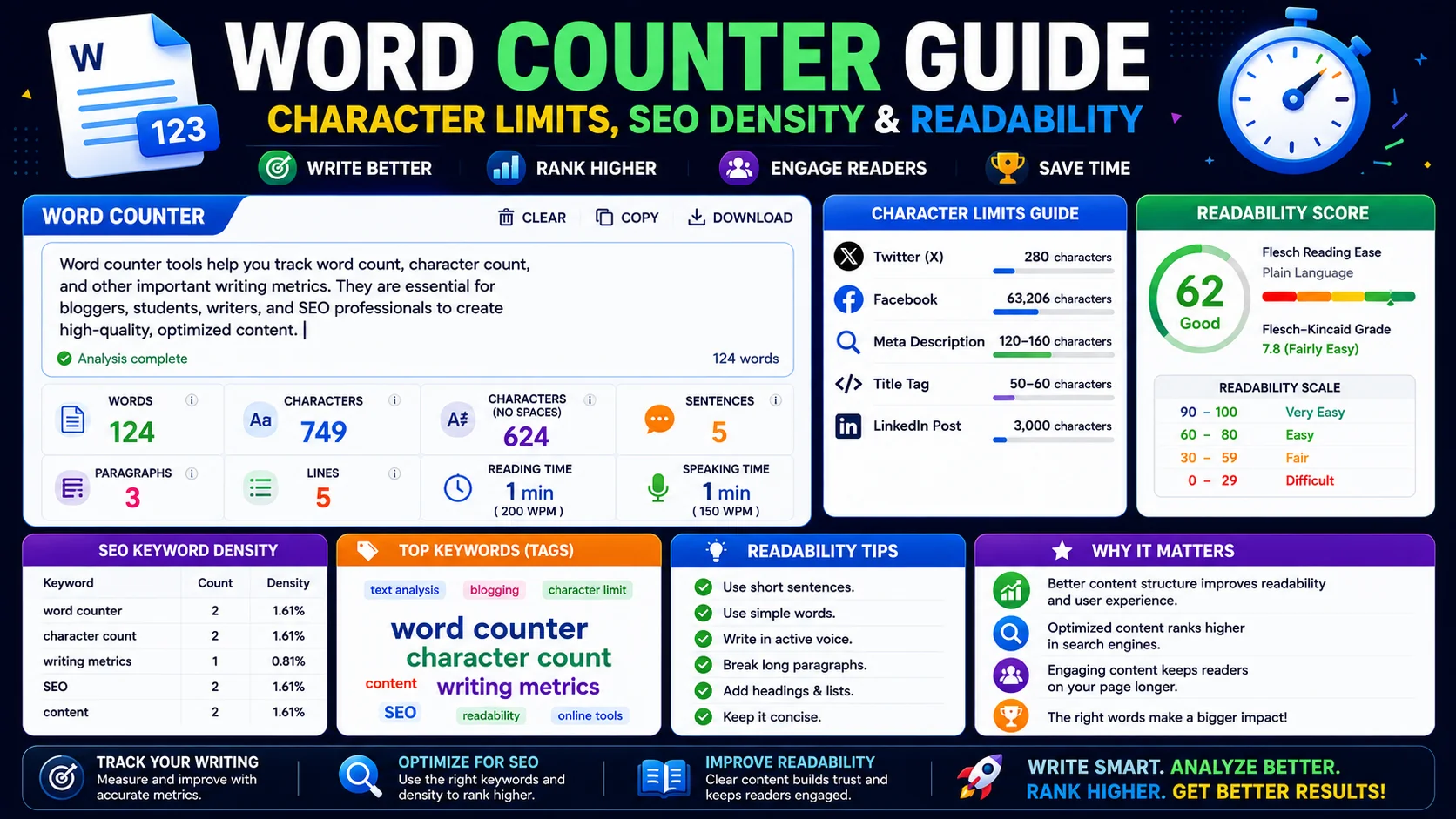
What is the best free online word counter?
ToolWise Word Counter counts words, characters, sentences, paragraphs, and calculates reading and speaking time in real-time. It also includes keyword density analysis.
How does the AI text summarizer work?
Our AI Summarizer uses advanced language models to analyze your text and generate concise summaries. Choose from short, medium, detailed, or bullet point formats.
Is the grammar checker free to use?
Yes! Our AI Grammar Checker is completely free. It checks grammar, spelling, and punctuation errors, provides corrections, and gives you a writing quality score.
How do I set a countdown timer online?
Go to our Timer tool, enter hours, minutes, and seconds or use quick presets (1min, 5min, 25min, etc.), then click Start. You will hear an alarm when time is up.
What is a paraphraser tool?
A paraphraser rewrites your text using different words while keeping the same meaning. Choose from Standard, Formal, Casual, Creative, Shorten, or Expand modes.
How do I generate Lorem Ipsum text?
Use our Lorem Ipsum Generator — select the number of words, sentences, or paragraphs you need, choose your format (Plain Text, HTML, or Markdown), and click Generate.
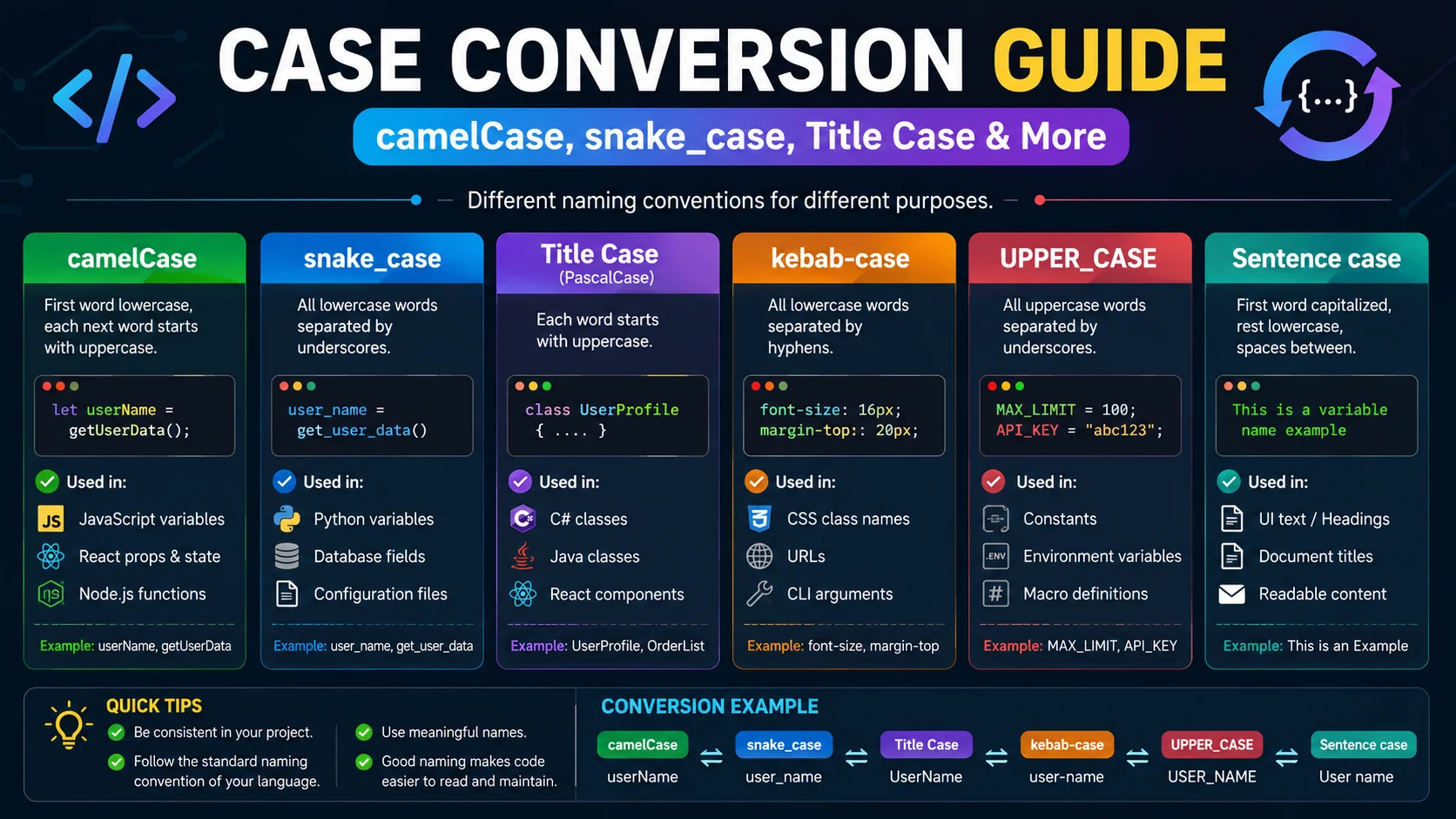
How do I convert text to uppercase or lowercase?
Paste your text into our Case Converter, then click any of the 10 conversion buttons: UPPER, lower, Title, Sentence, camelCase, PascalCase, snake_case, kebab-case, CONSTANT_CASE, or aLtErNaTiNg.